 mguandGitHub
e02b4f3c9f
mguandGitHub
e02b4f3c9f
* dunarand/bookmarks plugin

* fix: incorrect thumbnail.webp name

* fix: corrected plugin.toml

Removed invalid tag and noctalia version field

* fix: Added missing `bar` widget entry to plugin section

* docs: Added keybinds table

* feat: added search IPC

Directly initiates the search mode on noctalia msg panel-toggle
dunarand/bookmarks:panel search

* feat: drag bookmarks into/out of folders

* fix+style: fixed regressing drag space highlight + renamed functions due to linter complaints

* refactor:style: code cleanup & helper functions

* chore: translation strings

* feat: Turkish translation strings

* chore: added nohup as dependency, bumped the version

* style: formatting

* docs: updated README to include nohup dependency
4.6 KiB
Bookmarks
A bookmarks/shortcuts plugin for Noctalia. You can add folders and commands to a list of bookmarks. Reorder bookmarks, categorize them with folders, set glyphs and labels, and simply left click to execute. All of it is user defined, stored in a JSON file you can backup.
Plugin
| Field | Value |
|---|---|
| ID | dunarand/bookmarks |
| Entries | Bar widget: bar; panel: panel; |
Bar widget bar is not required. Instead, you can assign a keybind to directly open the panel,
which is shown in the Usage section.
Requirements
- Noctalia v5.0.0 or higher
nohup(Optional): For "Run in background" wrapper toggle
Usage
You can add the widget to your bar or assign the following command to your compositor keybinds. For example, in Hyprland v0.55+
hl.bind(
    "SUPER + SHIFT + B",
    hl.dsp.exec_cmd("noctalia msg panel-toggle dunarand/bookmarks:panel")
)
You can interact with the bookmarks list via keybinds:
| Keybind | Purpose |
|---|---|
CTRL + N or Down Arrow |
Select the next (below) item |
CTRL + P or Up Arrow |
Select the previous (above) item |
CTRL + S |
Search bookmarks |
Enter / Return |
Execute the selected bookmark's command / Navigate into a folder |
-
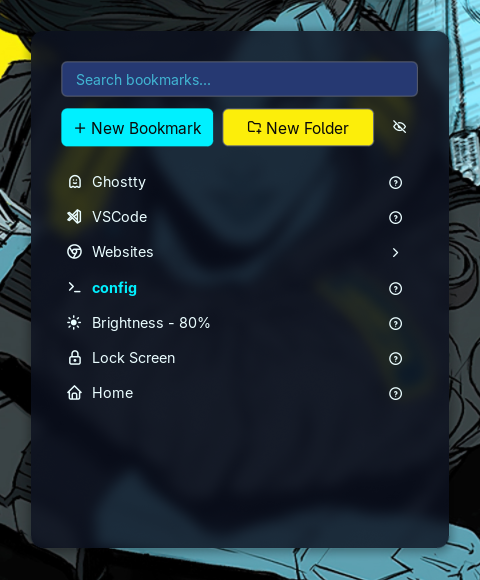
Bookmarks and folders are listed in the main panel.
-
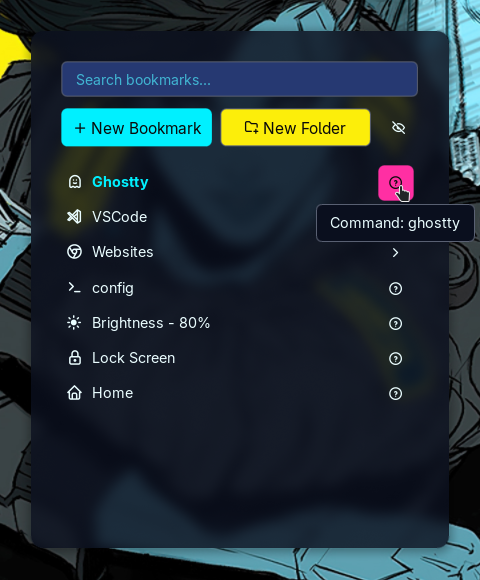
"?" button shows tooltips: bookmark command and its description.
-
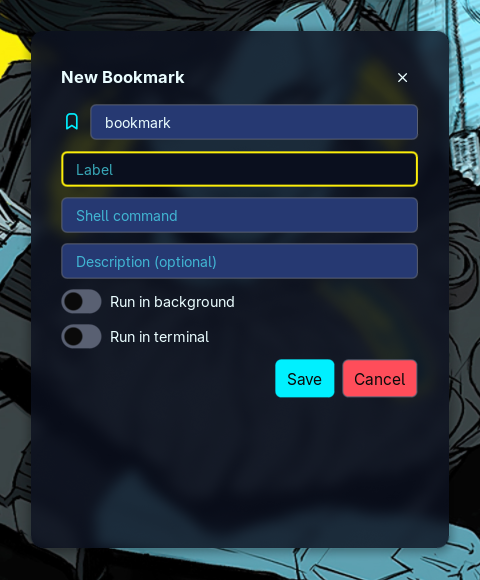
You can create or edit bookmarks by assigning them a glyph, a label, a command, and an optional description.
-
"Run in background" toggle wraps the command you defined in the following way:
nohup <bookmark-command> >/dev/null 2>&1 &For example, instead of typing the whole command
nohup xdg-open "$HOME" >/dev/null 2>&1 &each time, you can instead define the command as
xdg-open "$HOME"and toggle "Run in background" switch. -
"Run in terminal" switch executes the command with the default terminal. These switches are mutually exclusive so you can only choose one. Toggling on a switch will result the other to turn off.
-
-
You can create folders and nest other bookmarks within folders.
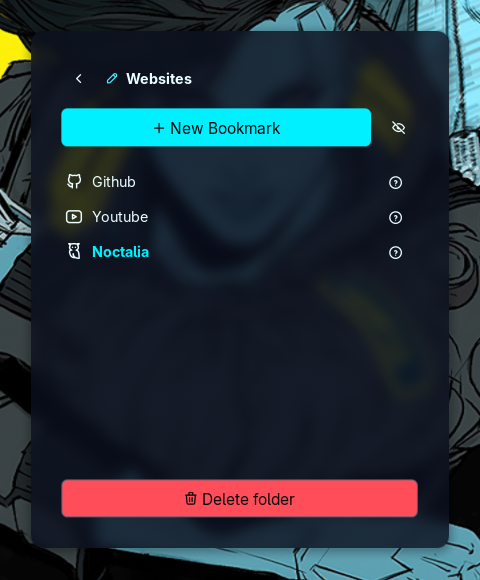
Folders cannot nest other folders. This is by design and it'll not change unless I find a genuine usecase. You can edit folders by clicking on the "pen" icon next to its name.
-
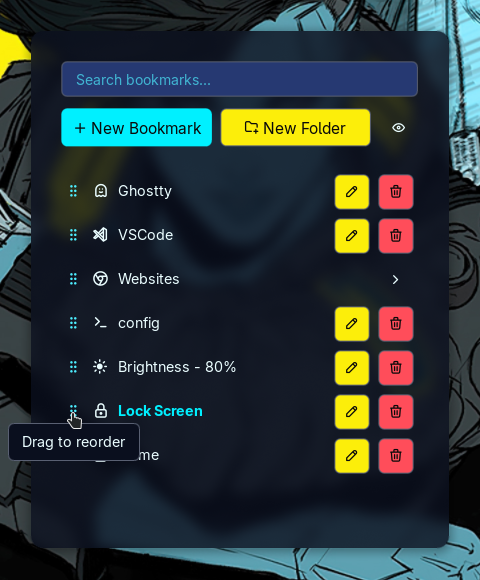
You can press the "eye" icon to enter edit mode where you can edit, delete, and reorder bookmarks.
-
Each bookmark can be edited anytime.
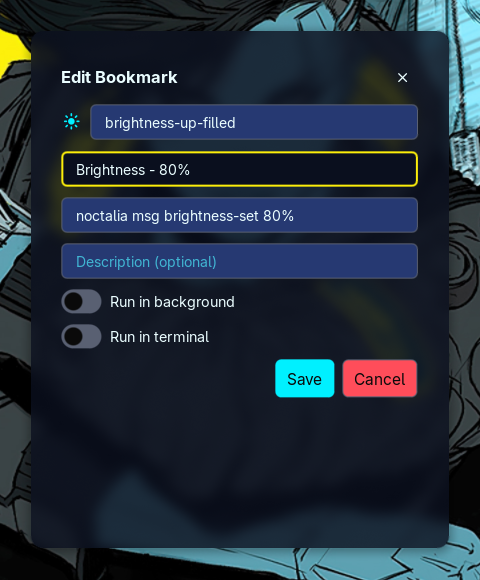


The saved bookmarks are written to $NOCTALIA_STATE_HOME/plugins/data/dunarand/bookmarks/data.json.
By default, $NOCTALIA_STATE_HOME should point to ~/.local/state/noctalia. You can point to a
different location for saving and backing up your bookmarks. This setting is configurable via
plugin settings under Settings -> Plugins. Only JSON format is accepted.
Settings
The bar widget has the following settings:
| Setting | Type | Default | Description |
|---|---|---|---|
glyph |
glyph |
bookmark |
Glyph displayed on the bar |
tooltip |
string |
Bookmarks |
Tooltip displayed on the bar |
text |
string |
Bookmarks |
Widget text displayed on the bar |
The plugin itself has the following settings:
| Setting | Type | Default | Description |
|---|---|---|---|
data_path |
file |
data.json file to store the saved bookmarks. Leave empty to use the default location. | |
show_info_button |
bool |
true |
Shows the "?" tooltip button on the bookmark entries. |
IPC
-
Open the bookmarks panel:
noctalia msg panel-toggle dunarand/bookmarks:panel -
Open the bookmarks panel in search mode (immediately puts you into search mode) so that you can use your bookmarks panel as a launcher:
noctalia msg panel-toggle dunarand/bookmarks:panel search